I purchased the PDF Guide but can’t locate it.
- Check the Finelo App:
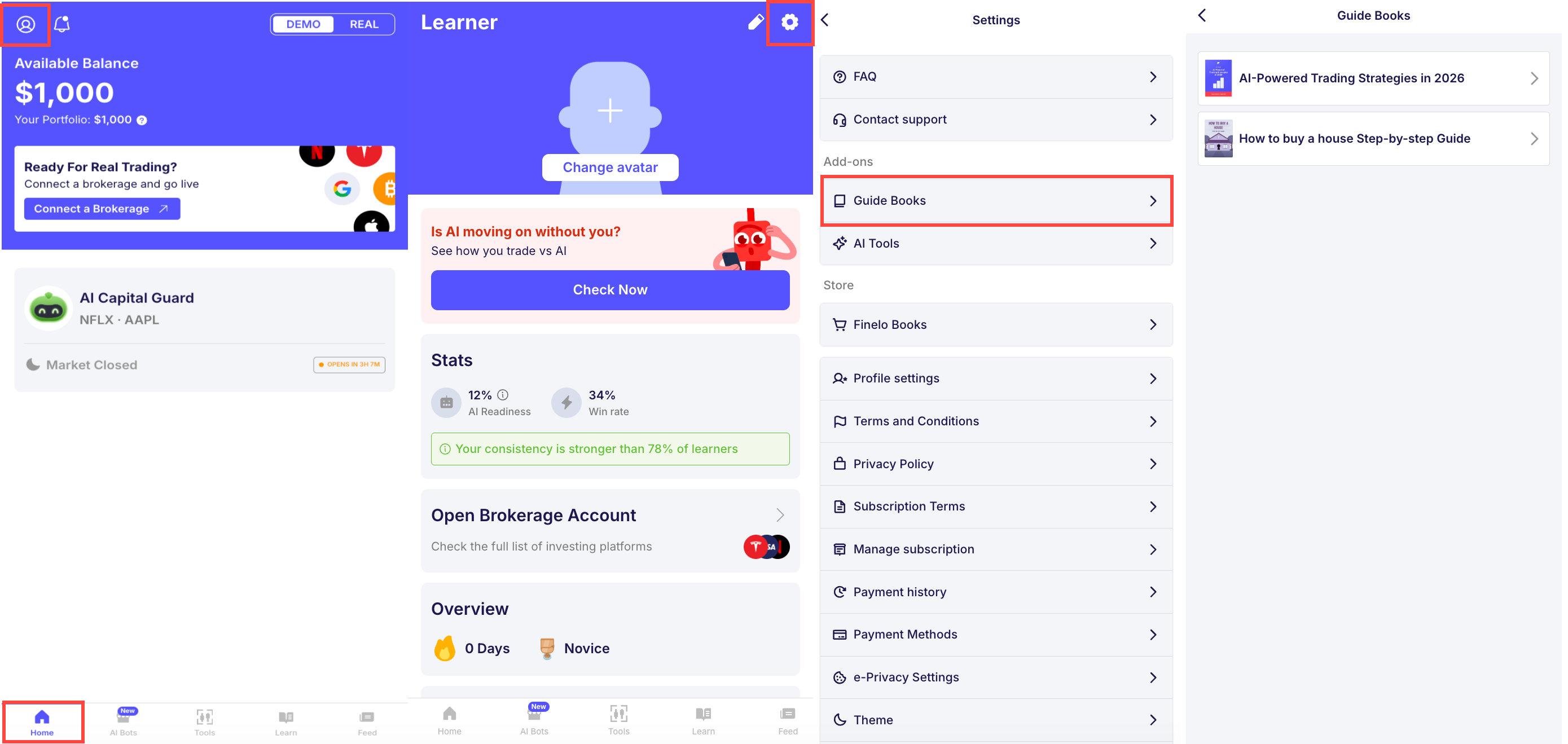
Open the Finelo app and look for the Guide Books there. We often deliver these resources directly to the app for easy access. Navigate to your Finelo Profile -> Account Settings -> Guide Books
- Check Your Email:
We also send a copy of the report to your registered email. If you don’t see it in your inbox, be sure to check your spam or junk folder.
- Review Your Sign-Up Information:
Make sure the email address you provided during sign-up is correct, as this is where we send your purchased materials.
If you’re still having trouble accessing the report, feel free to contact us at support@finelo.com or via submitting a ticket at Support Center.
Was this article helpful?